1.8 Software
Software: The instructions that control a computer
- Unlike hardware, software is not physical—it consists of the programs and instructions that tell a computer what to do.
- Everything a computer does—from displaying a webpage to printing a document—is controlled by software.
- Without software, hardware alone is useless.
- Software provides the logic, control, and interaction between the user and the computer’s physical components.
1.8.1. Categories of Software
- Application Software, System Software
1.8.2. Application Software - Helps users perform specific tasks
- Application software is designed to make the computer useful for everyday activities.
- Examples:
- Word processors (e.g., Microsoft Word)
- Email clients (e.g., Outlook)
- Web browsers (e.g., Chrome, Firefox)
- Games
- Spreadsheet programs (e.g., Excel)
- Media players (e.g., VLC)
1.8.3. System Software - Controls and manages the computer itself
- System software manages the hardware and provides a platform for application software to run. It operates behind the scenes to keep the system running smoothly.
- Components of System Software:
- Operating System (OS):
- Manages hardware (CPU, memory, I/O devices)
- Coordinates between hardware and software
- Provides user interfaces and file management
- Examples: Windows, macOS, Linux, Android
- Utility Programs:
- Perform specialized maintenance tasks to improve performance or protect data.
- Examples: Antivirus software, Disk cleanup tools, Backup utilities, etc.
- Operating System (OS):
1.8.4. How a Program Works
- At its core, a program is a set of instructions that tells the CPU what to do.
- These instructions guide the computer through tasks like performing calculations, making decisions, or managing data.
- Examples of Simple CPU Operations
- The CPU performs operations one small step at a time. Here are some basic tasks it can do:
- Reading data from memory, Storing data to memory, Adding numbers, Subtracting numbers, Multiplying or dividing, Comparing values, Jumping to another instruction
- The CPU performs operations one small step at a time. Here are some basic tasks it can do:
- Machine Language and the Instruction Set
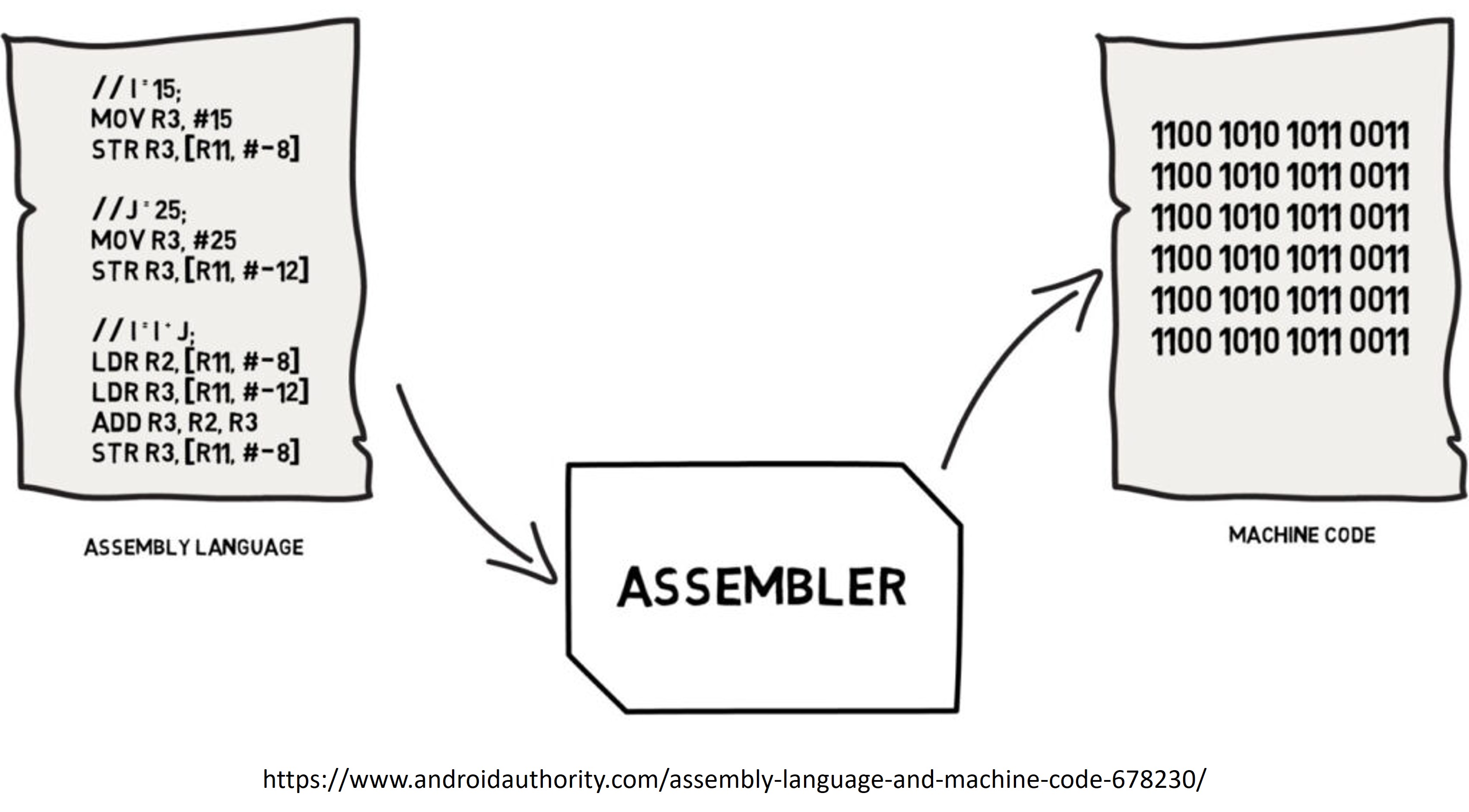
- The CPU only understands machine language: a very low-level language made up of binary code (0s and 1s).
- Each operation the CPU can perform is represented by a specific machine instruction.
- Instruction Set
- Each brand or type of CPU (e.g., Intel, AMD, ARM) has its own unique instruction set, which is a list of all the basic commands that CPU can execute.
- Examples of instructions in an instruction set:
- ADD A, B (add value in B to value in A)
- MOV A, 5 (store number 5 into memory location A)
- Note: Higher-level languages (like Python or Java) are eventually translated into this low-level machine code so the CPU can understand and execute them.
1.8.5. Cycle of Operation (Fetch-Decode-Execute Cycle)
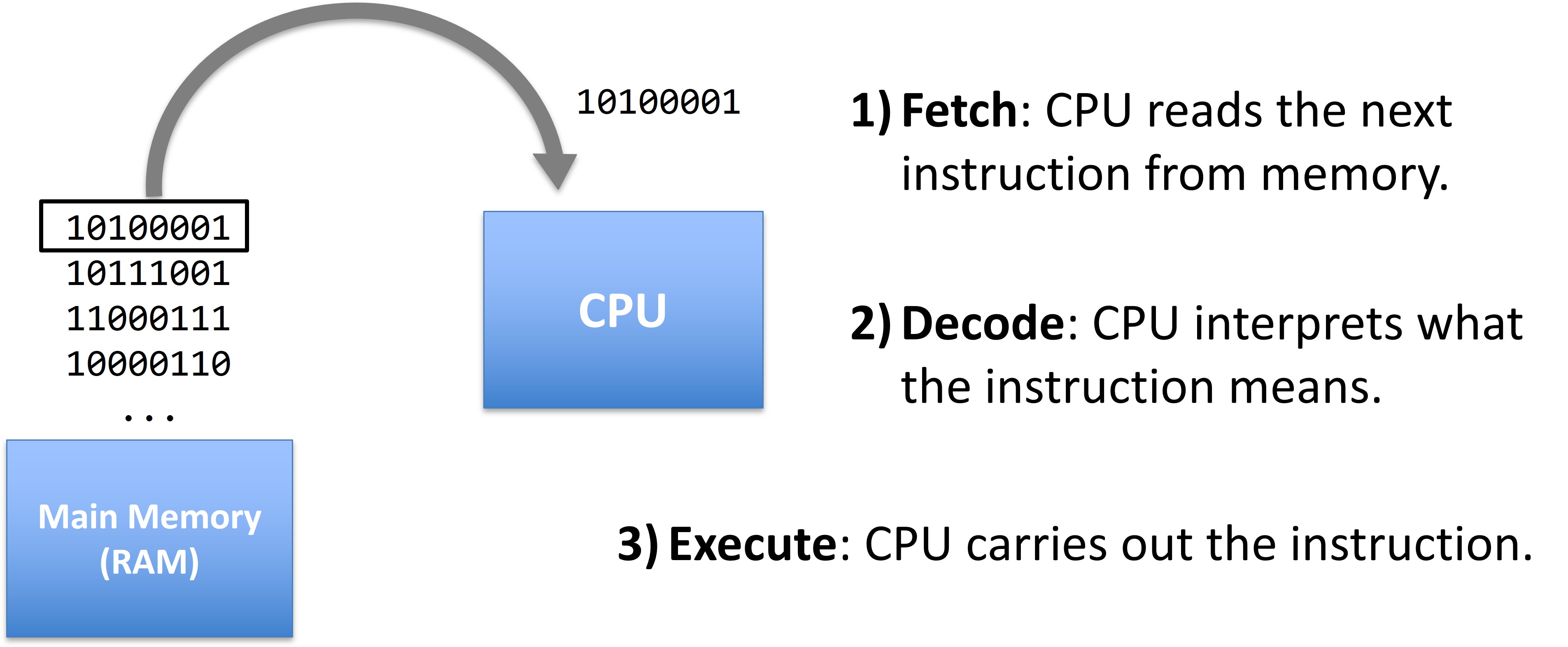
- Every instruction goes through three key steps:
- Fetch: CPU reads the next instruction from memory.
- Decode: CPU interprets what the instruction means.
- Execute: CPU carries out the instruction.
- This cycle repeats millions to billions of times per second in modern processors.
1.8.6. Machine Language
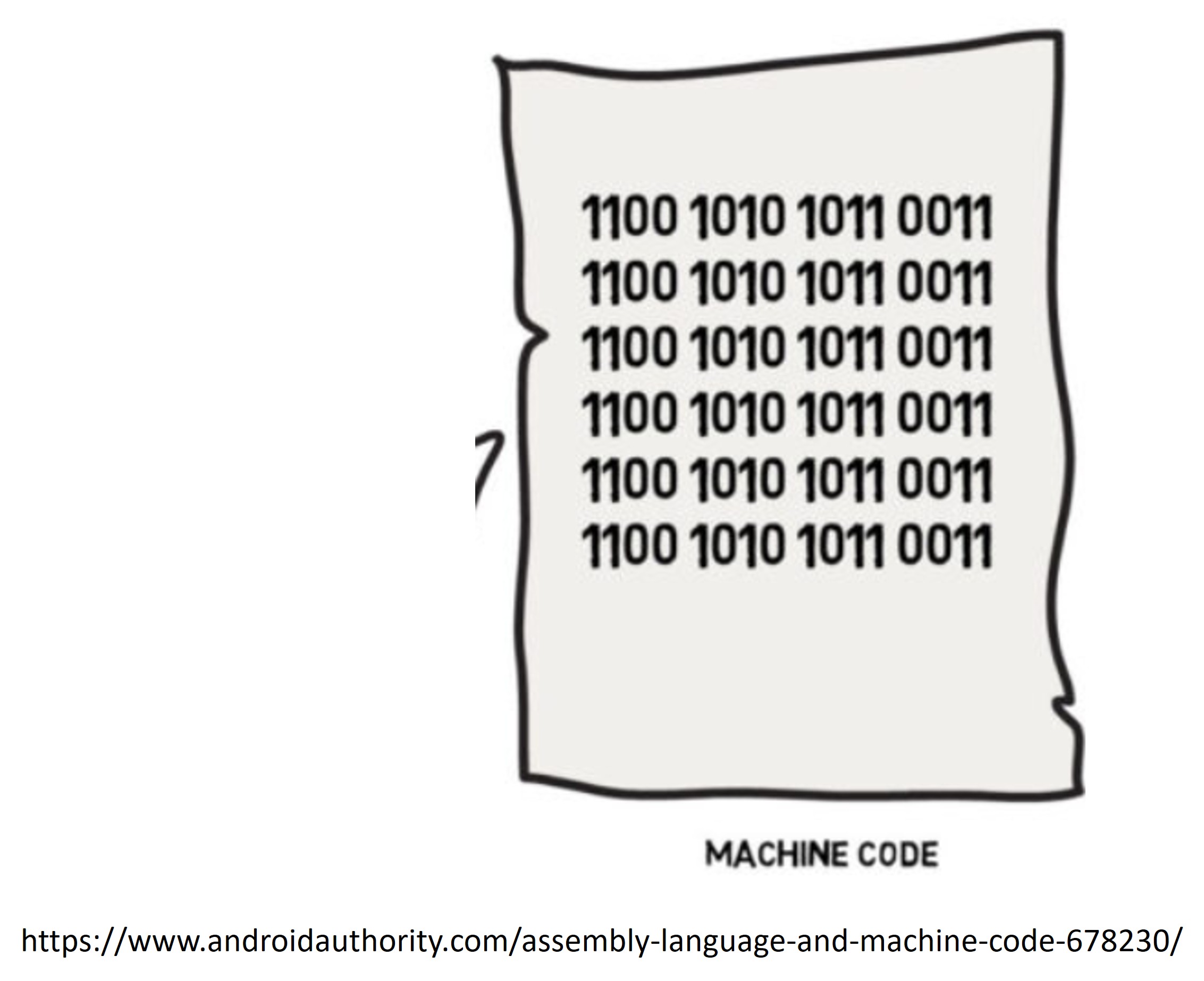
- Machine language is the lowest-level programming language made up entirely of binary numbers (0s and 1s).
- Each instruction is a long series of bits that the CPU understands directly.
- Problems with Writing in Machine Language:
- Difficult to read and write (e.g., 10110000 01100001)
- Hard to debug and maintain
- Tedious and error-prone
- Not portable — different CPUs have different machine languages
1.8.7. Assembly Language
- To make programming easier, developers created assembly language.
- What is Assembly Language?
- A low-level programming language that uses mnemonics (short, readable words) instead of binary numbers.
- Each assembly instruction maps one-to-one with a machine instruction.
- Example
| Machine Language (Binary) | Assembly Language | Meaning |
| 10110000 01100001 | MOV AL, 61h | Move the hexadecimal value 61 into register AL |